Overview
Build a live, AI-authored web app from a single node — describe it, preview it live, publish to a public URL in one click.
The App node turns a prompt into a real, running web app. You describe what you want, an AI agent writes and deploys it, and the result renders live inside the node. Keep talking to refine it, then publish to a public URL when it's ready. One App node is one app.
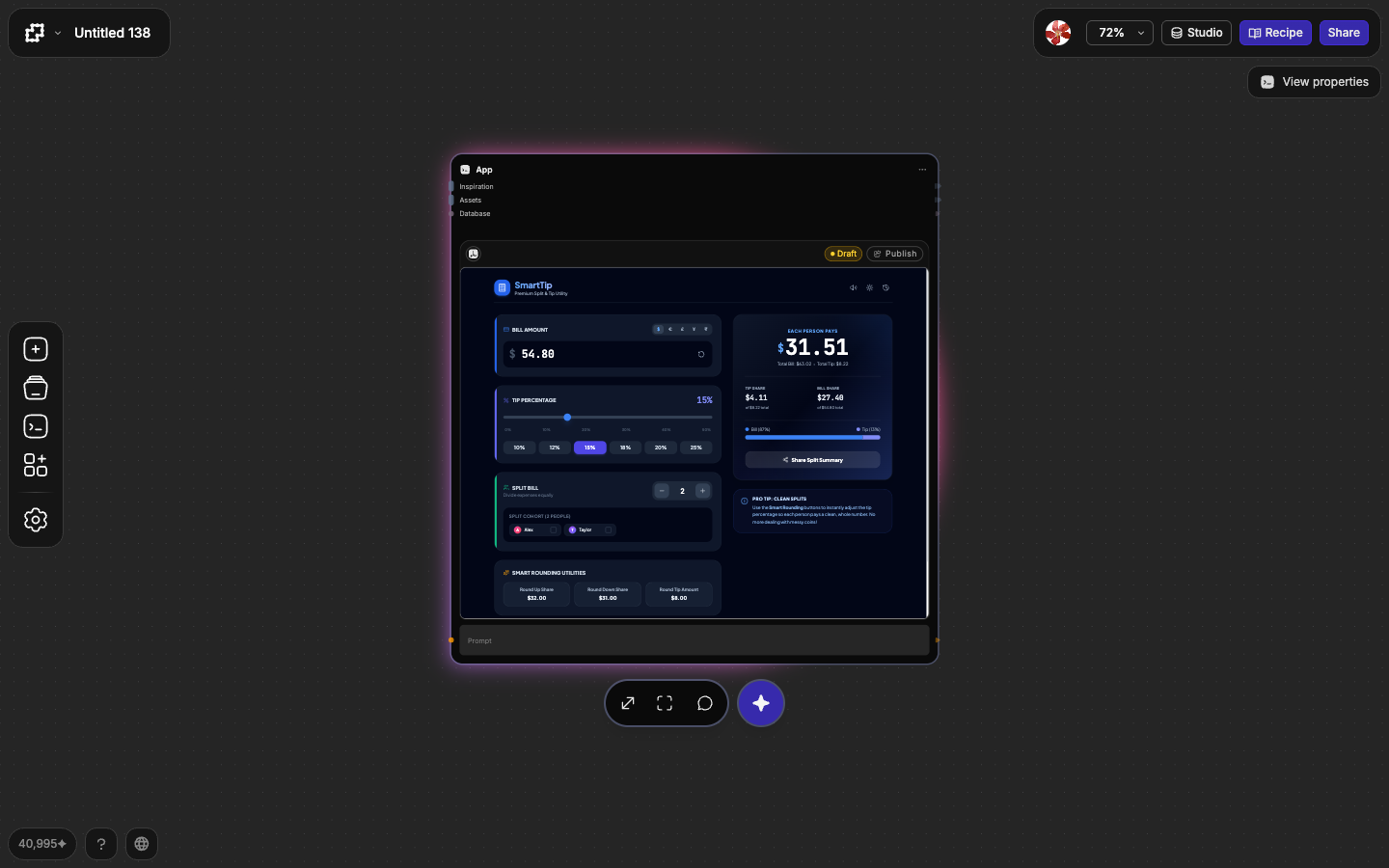
A generation node returns a single image or clip. An App node holds something that evolves — a tool, a toy, a landing page, a game — that you shape through conversation and ship to an audience.
The three surfaces
You work with an app in three places:
- The canvas node — the app's home on the flow. It shows a live preview, its publish status, and the sockets you wire other nodes into.
- Focus mode — the full-screen workspace where most of the work happens: a chat transcript on the left, the live preview (or code) in the middle, an inspector on the right.
- The Apps panel — a library of every app you've built, reachable from the left toolbar. Browse, reuse, or drag a past app back onto any canvas.
How an app comes together
The loop is always the same, no matter how complex the app gets:
Describe what to build in the prompt. The agent plans, writes the code, and deploys a private preview.
Preview the running app live inside the node. Try it, then ask for changes in plain language — or edit content, styles, and code directly.
Publish when it's ready. Your app gets a public URL anyone can open, with an optional QR code and discovery listing.
The default model is free
New apps build with the Free model, which doesn't spend credits. You can switch to a higher-quality model per app when a build needs more horsepower — see Generation models.
What's next
Quickstart
Build, preview, and publish your first app end to end.
Building with the agent
The composer, generation activity, crafting prompts, and fixing errors.
Editing your app
Edit content, styles, media, and code directly — not just by prompting.
Publishing & versions
Draft, Changes, and Live states; the version switcher; plans and limits.
Sharing & your audience
Public URLs, QR codes, discovery, and what your audience sees.
App reference
The App node's inputs, outputs, and sockets at a glance.