Overview
Package a working flow as a reusable recipe, with the inputs, outputs, and run interface you choose.
A recipe packages connected nodes into one reusable node. You choose the inputs people can change and the outputs they receive.
A product campaign recipe, for example, can expose a creative brief, aspect ratio, and optional reference images while keeping the model and art direction inside. Reuse it in another project or publish it for others to try.
Three ways to work with a recipe
On the canvas
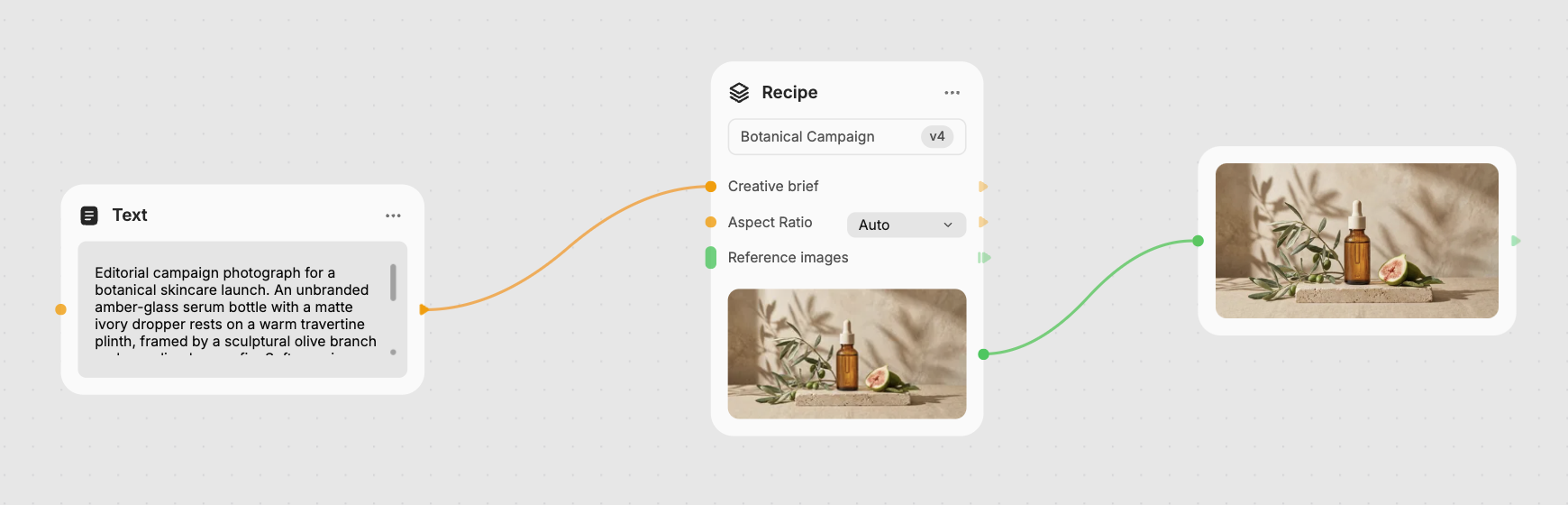
Connect a recipe to other nodes just like any part of your flow. Here, a Text node supplies the brief to Botanical Campaign, and an Image node receives the finished campaign image.
Open the canvas library's Recipes tab to find My Recipes, Featured, and Recent. Click or drag a recipe to place it. Discover community creations in the Gallery.
In the run preview
Choose Enter focus from the node's menu to see its inputs and results together. Adjust the controls, review the credit estimate, and click Execute. Browse earlier runs to compare results.
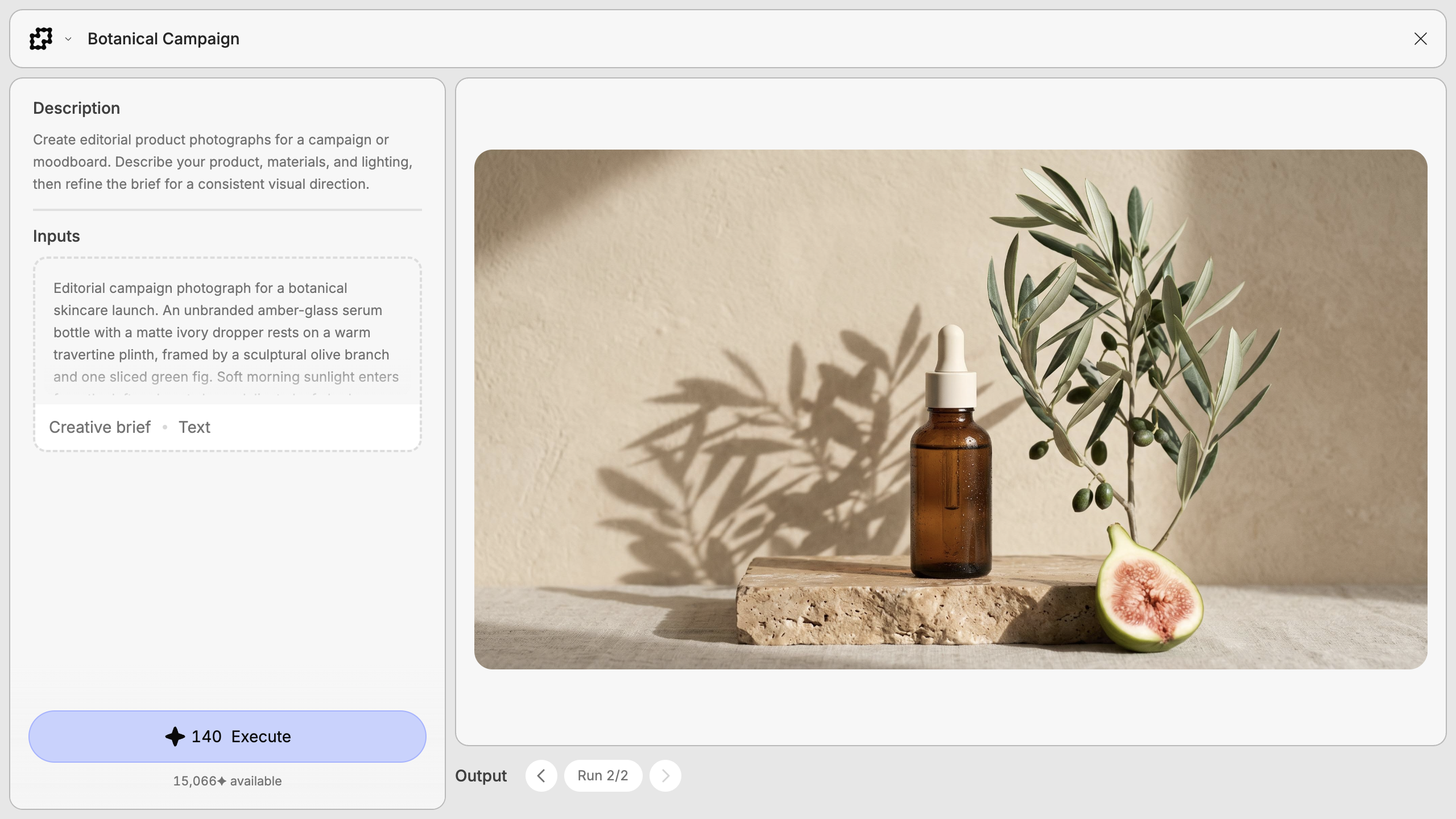
See Running recipes for media inputs, execution status, and run history.
Inside the recipe
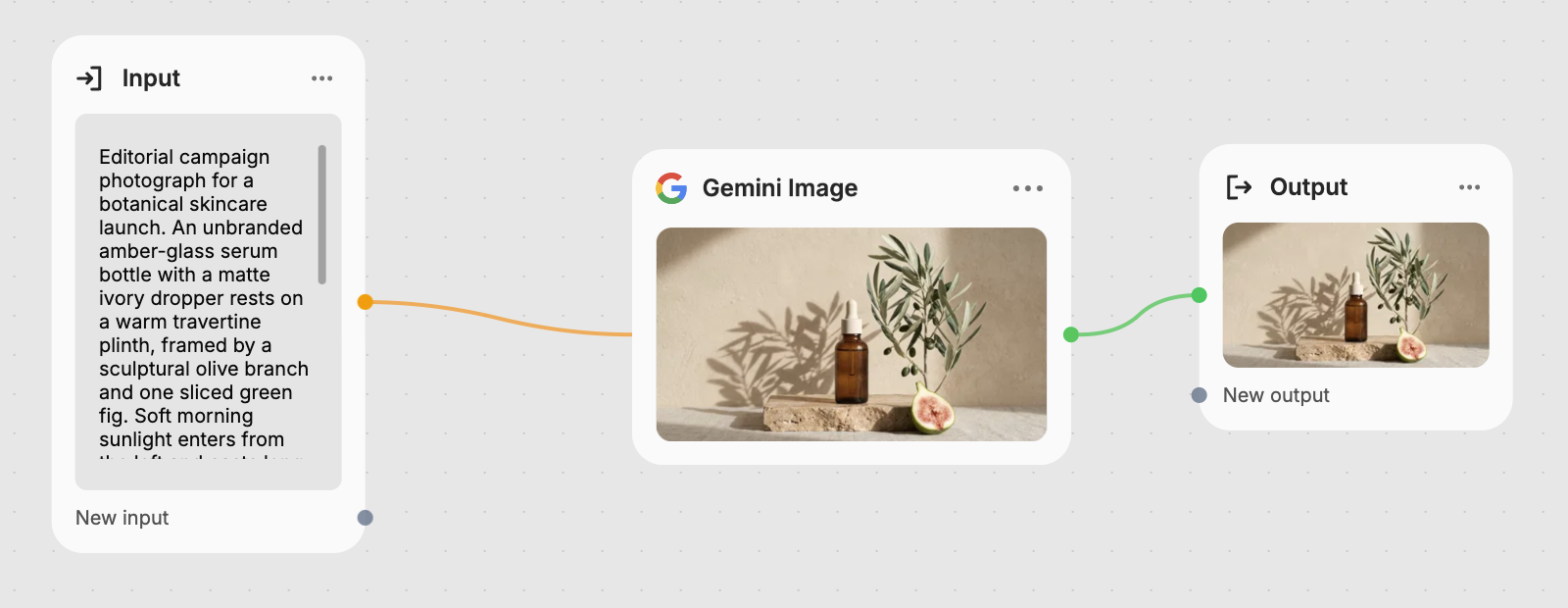
Select the node and click Open recipe, or press E. The internal canvas
contains the working nodes, an Input node, and an Output node. Use the
Recipes panel to arrange controls, add descriptions, and prepare to publish.
Edit directly if you have permission. For a View only recipe, choose Make a copy to edit to create an independent recipe.
Design the interface around the task
Expose the decisions someone needs to make each time. Dropdowns retain their choices, media inputs use the appropriate picker, and descriptions explain what to provide.
Reorder controls or share an input between compatible properties. See Inputs and outputs for controls and result types.
Build once, improve over time
Create a recipe from a working selection, test its starting values, and save as you refine it. Publish when it's ready to share.
Each placed recipe uses a particular version. You choose when to adopt updates, so a finished project can keep its current version. Recipes can also contain other recipes to combine reusable steps.
What's Next?
Running recipes
Change inputs, execute a recipe, and work with its results.
Creating a recipe
Turn a working flow into a reusable recipe, step by step.
Inputs and outputs
Choose the controls, starting values, and results people use.
Editing recipes
Refine the flow, make an independent copy, or unpack its nodes.
Publishing & versions
Publish your recipe and manage updates across projects.