Join, cut and edit clips
Use tools for the editing jobs AI models can't do.
AI models make new media. For editing what you have, the agent builds a tool: a small program on the canvas that runs on your media. Most tools are free to run.
Join these two clips into one video, clip 1 then clip 2, with a short crossfade.
canvas_getcanvas_edittool_buildcanvas_editrun_startrun_get
Done: one 14-second video, clip 1 then clip 2 with a 1-second crossfade. It cost nothing to run, and the crossfade length is a slider you can change on the canvas.
What tools can do
| Job | Example request |
|---|---|
| Join clips | "Join these three clips in order with a short crossfade." |
| Cut and crop | "Cut the first 4 seconds and crop it to vertical 9:16." |
| Speed | "Slow this clip to half speed, keep the sound in sync." |
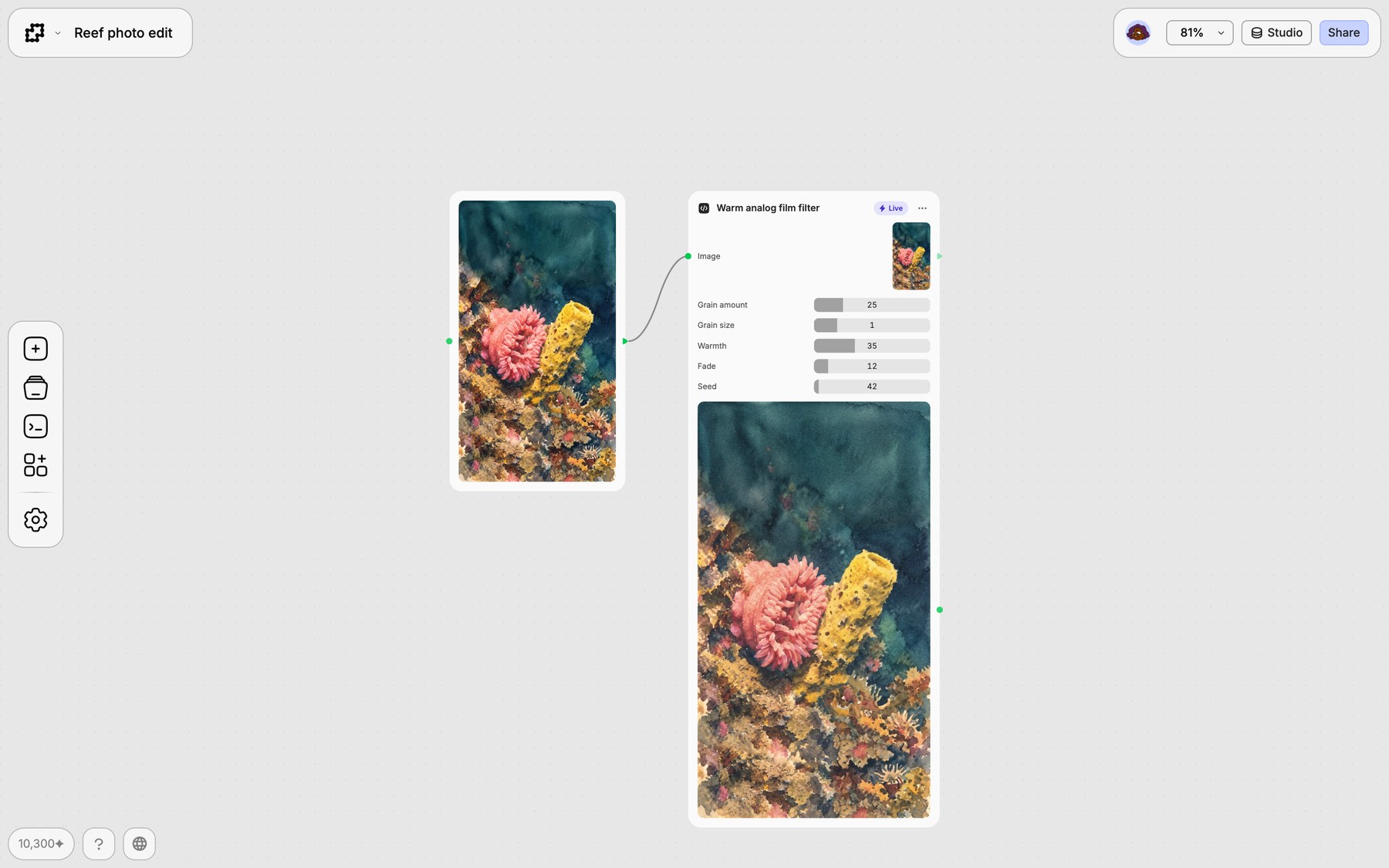
| Filters | "Give this photo a warm film look with a grain slider." |
| Layouts | "Make a 2x2 grid of these four images." |
| Contact sheets | "Make a contact sheet of this video, 16 frames." |
| Measuring | "Count the words and sentences in this copy." |
| Audio | "Play these clips back to back with a crossfade." |
Tools that describe or recognise what's in media (alt text, transcripts, finding objects) use AI and cost credits per run.
Reuse your tools
Every tool you or your workspace builds is saved. Ask for it by name and the agent places it instead of building a new one:
Use my black and white tool on the reef photo.
tool_searchcanvas_edittool_buildrun_startrun_get
I ran your saved Black and white contrast tool on the reef photo, at its default contrast. It cost nothing.