Overview
Use Fuser from Claude, ChatGPT, Cursor or Codex. Your agent builds and runs canvases for you.
https://mcp.fuser.studio/mcp- 1Run this in your terminal.
- 2In Claude Code, run /mcp, pick fuser and sign in.
claude mcp add --transport http fuser https://mcp.fuser.studio/mcp
The first time, Fuser opens in your browser so you can sign in and allow access. No API key needed.
Fuser's MCP server lets an AI agent work in Fuser for you. Ask in plain words and the agent adds the nodes, checks the price, runs them, looks at the results and fixes what's off. Everything it makes lands on a normal canvas you can open and keep editing by hand.
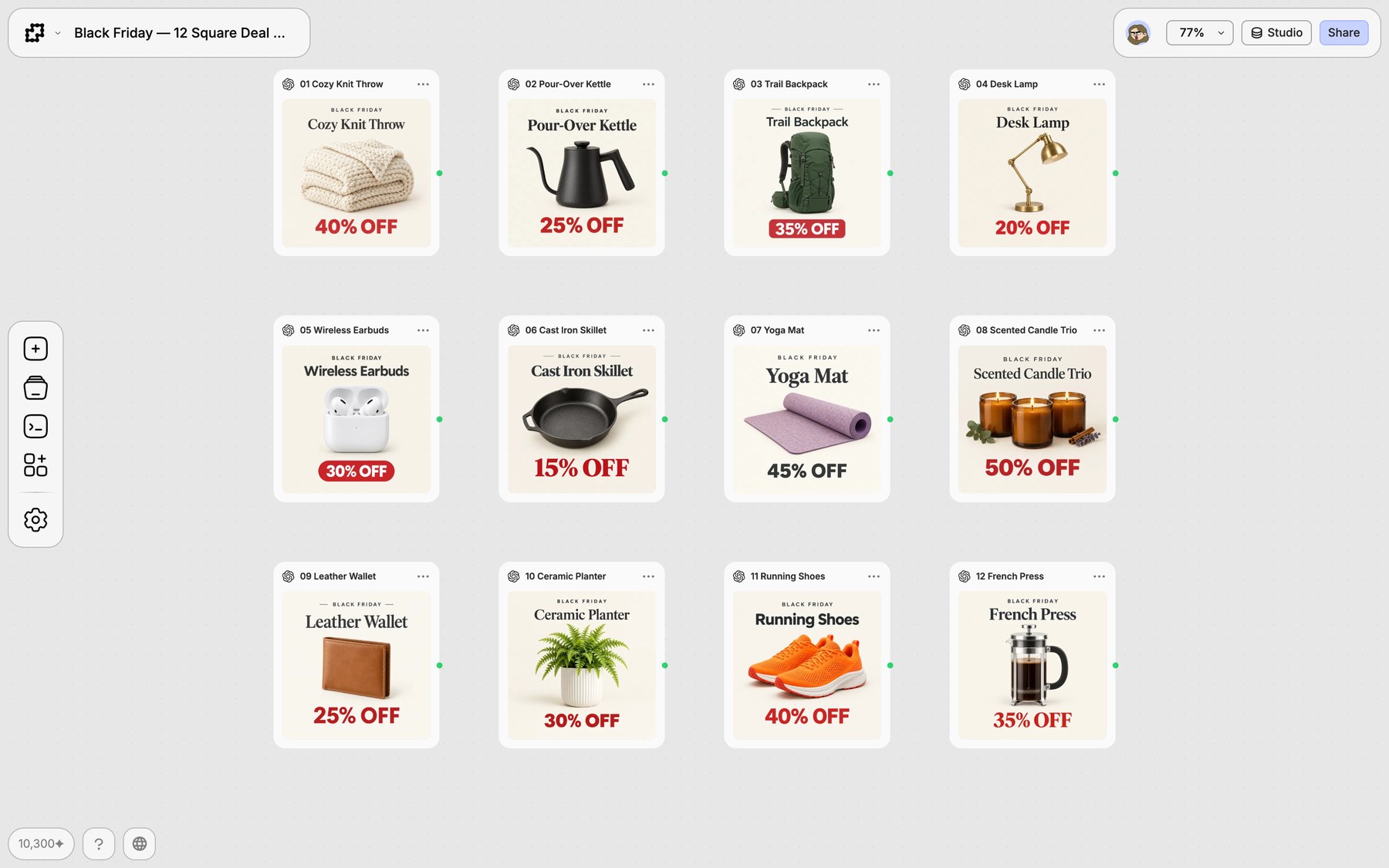
What it looks like
All 12 banners are done on a new canvas, Black Friday — 12 Square Deal Banners. The run cost 98 credits of your 400 limit. I checked each one: every product name and discount reads correctly.
The agent priced the run before starting it, kept to the limit you set, and looked at every banner before reporting back.
What agents can do
Make images and video
Any image, video, audio or text node in Fuser, from a sentence.
Start from your own media
Upload a photo and turn it into a video or a set of variations.
Make batches
Dozens of variations on one canvas, in one consistent style.
Edit your canvases
Change, extend and rerun canvases you already have.
Edit media with tools
Join and cut clips, crop, grid and filter, mostly for free.
Find your media
Search your library and upload files from your computer.
How it fits together
| Your agent | Fuser |
|---|---|
| Understands what you want and plans the canvas | Runs every model, keeps your media and canvases |
| Asks before spending, within the limit you set | Prices each run and refuses anything over the limit |
| Looks at results and decides what to redo | Stores every result on the canvas, with its history |
The agent signs in as you, the first time you add Fuser, through a Fuser page in your browser. It can only see and change what you can. To disconnect it, remove Fuser from your agent; its access also lapses after 30 days without use.