Overview
Layer and composite media into final outputs inside Fuser's full-screen visual editor.
The Compositor is Fuser's built-in visual editor for stacking images, video, text, vector art, raster paint, and 3D into a single layered scene. Think Figma or Photoshop, but living inside a flow node — anything you compose flows downstream to inference, further editing, or export.
A scene is the unit the Compositor works with: canvas dimensions, frame rate, duration, and an ordered stack of layers. Saving the editor commits the scene as the node's output; downstream nodes receive that scene as their input.
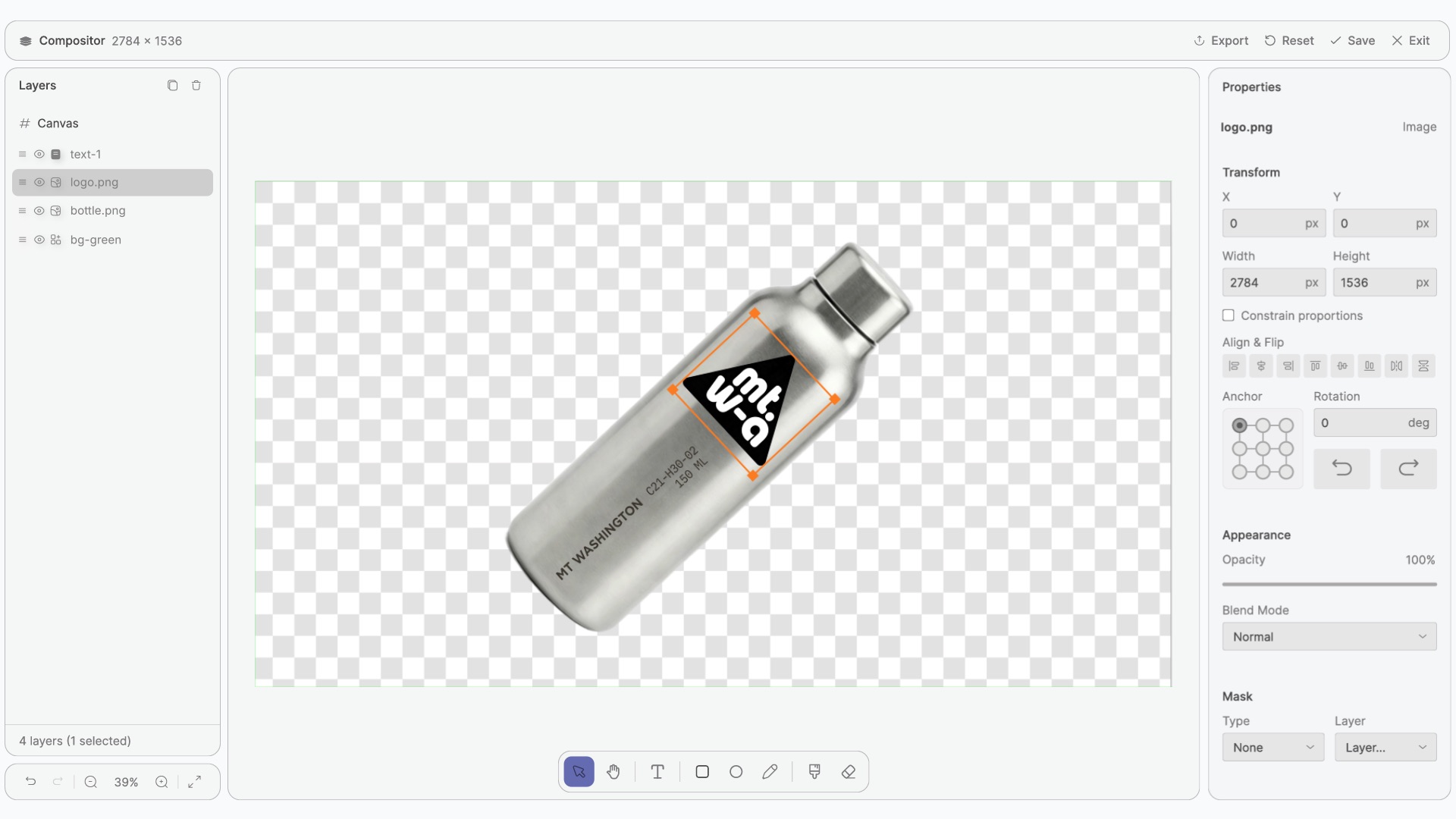
Opening the Compositor
Click the Edit button on a Compositor node to open the full-screen editor. When you're done, click Save to commit the scene as the node's output, then Exit to return to the flow canvas. The saved scene becomes immediately available to downstream nodes.
Desktop and tablet only
The Compositor editor runs on desktop and tablet browsers. On mobile, Compositor nodes still display their output, but you can't open the editor.
Editor Layout
The editor has four primary areas around a central canvas:
- Layers Panel (left) — the layer stack. Reorder, toggle visibility, lock layers, rename. See Layers.
- Canvas (center) — the editing surface where layers render and respond to your tools.
- Toolbar (floating, bottom of the canvas) — eight editing tools for selecting, drawing, painting, and erasing. See Tools.
- Properties panel (right) — context-aware controls for the selected layer or the canvas. See Properties.

Tools at a glance
The toolbar holds eight tools. Each has a single-key shortcut.
| Icon | Tool | Shortcut |
|---|---|---|
| Select | V | |
| Hand | H | |
| Rectangle | R | |
| Ellipse | O | |
| Text | T | |
| Pen | P | |
| Brush | B | |
| Eraser | E |
Each tool's settings, gestures, and per-tool shortcuts live on the Tools page.
What's Next?
Concepts
The mental model — how the scene drives both the editor and downstream nodes, masks vs. clipping, anchors, multiplayer behavior.
Tools
All eight tools with their settings, gestures, and keyboard shortcuts.
Layers
Twelve layer types — shapes, raster, text, image, video, 3D, adjustments, nested compositors.
Properties
Canvas, transform, appearance + blend modes, masks, global alpha mask.
Timeline & Export
Animate, scrub, and export PNG or video. How the downstream output works.