# Publishing & versions (https://docs.fuser.studio/docs/recipes/publishing-and-versions)
Publish recipes for others to find and run. Placed recipes use specific flow
versions, so you choose when updates reach your projects.
## Saving and publishing [#saving-and-publishing]
A new recipe starts unpublished. Save while building, then publish when its
controls and starting results are ready to share.
| Control | When you use it | What it does |
| ------------------ | ------------------------------------------- | --------------------------------------------------------------- |
| **Save changes** | The recipe is unpublished | Saves your changes while keeping the recipe out of the gallery. |
| **Publish recipe** | You're ready to share an unpublished recipe | Makes the recipe available to the community. |
| **Update recipe** | You've changed a published recipe | Makes those changes available as an update. |
| **Up to date** | A published recipe has no pending changes | Shows that there's nothing new to publish. |
Saving flow changes creates a version for your projects. Listing details can
be incomplete, but you need a connected output and valid nodes and connections.
Name or description changes don't create a flow version. Publishing an
unchanged saved flow can also retain its version number.
## Prepare a recipe for publication [#prepare-a-recipe-for-publication]
### Test the starting experience [#test-the-starting-experience]
Add a **Name** and **Description**, set required inputs, and run the flow
to fill its outputs. Use **Preview recipe** to check the starting experience.
A product-photo recipe, for example, might include a sample image,
prompt, and finished result.
### Complete the listing [#complete-the-listing]
Add a **Thumbnail**, up to three **Categories** and up to five **Tags** to
help people find the recipe.
The checklist requires a connected output, values for required inputs
and outputs, and an account name or username. Follow any additional
instructions for your flow's nodes.
### Publish the recipe [#publish-the-recipe]
Click **Publish recipe**. Resolve any blockers from the readiness check
and retry.
Use **Copy link** to share it. It can also appear in the
[Gallery](https://docs.fuser.studio/docs/interface/gallery.md).
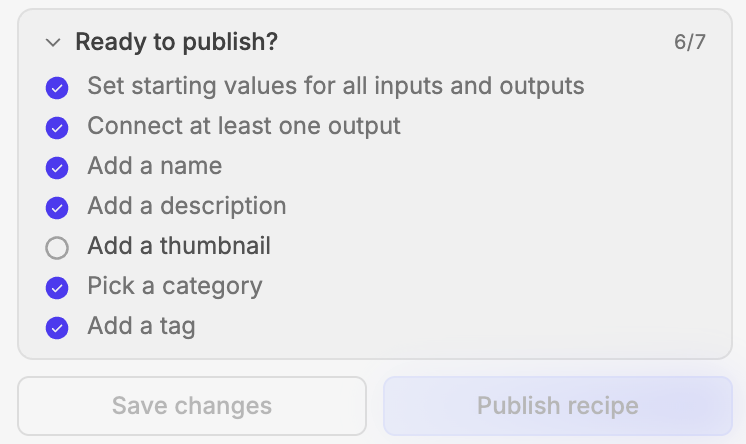
Here, **Add a thumbnail** remains incomplete. Finish the checklist to publish.
If a check times out, check your connection and retry. If another edit created
a newer version, review it before publishing again.
## Choose the version a project uses [#choose-the-version-a-project-uses]
Select a recipe's **Version** controls. **Pinned to v…** shows its current
version; **Update to v…** switches to the latest available version.
With multiple versions, **All versions** lets you choose any available one,
including earlier versions. Private saved versions you can access are marked
**unpublished**.
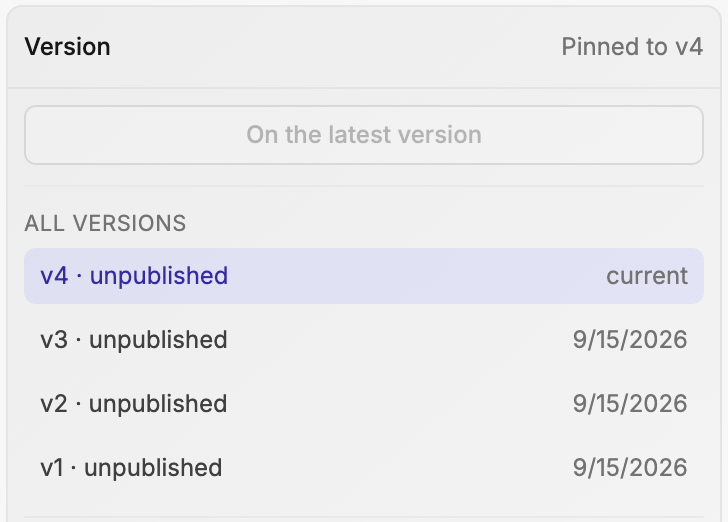
You can keep v2 in a finished project while trying v3 elsewhere. Choosing a
version changes that placement's flow without republishing the recipe.
Names, descriptions, listing details, and control labels are shared across
versions. Choosing an older flow doesn't restore older labels.
## Update placed recipes [#update-placed-recipes]
After saving or publishing a newer version, Fuser may offer these updates,
depending on your project and eligible placements:
* **Update this node** updates the recipe you opened.
* **Update all in this project** updates the eligible placements in the
current project.
* **Update all** updates the eligible placements offered by the dialog.
* **Not now** leaves them on their current versions.
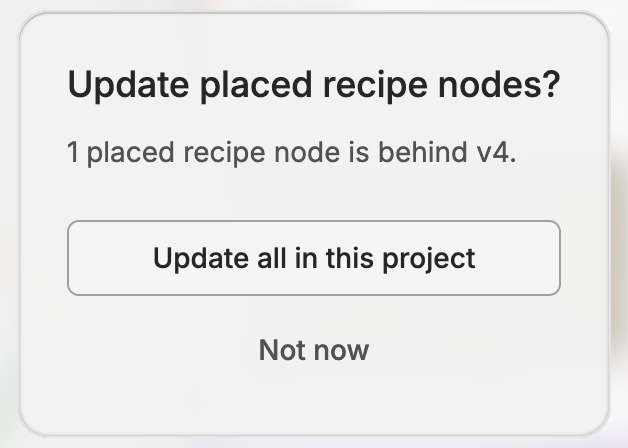
You can update later from the **Version** controls.
## Share or unpublish [#share-or-unpublish]
**Copy link** gives you a stable link across updates. The gallery lists the
latest public version.
Creators can **Unpublish** to remove the recipe's versions from community
listings, while retaining access to edit and republish.
> [!WARNING] Unpublishing also changes access
>
> People without permission lose access to the contents, potentially affecting
> recipes already placed in their projects. Use **Unpublish** to withdraw access.
## What's Next? [#whats-next]
- [Editing recipes](https://docs.fuser.studio/docs/recipes/editing.md): Change the flow and refine the controls people use.
- [Running recipes](https://docs.fuser.studio/docs/recipes/running.md): Work with recipe inputs, results, and execution.
- [Gallery](https://docs.fuser.studio/docs/interface/gallery.md): See how people discover and try published recipes.